Blogging is a blast ...
... but it drives me crazy that I can't seem to get my images and captions to place neatly and orderly on the page. When I publish and view, I always seem to have soooo much white space, or air between them, and there's no telling where my captions will end up.
i.e. "Fun in the Sun" and "Bullies VS Bonanno's"
It's frustrating!
Thank you for listening ... :)


Meet The Designer

"I love this. I couldn't imagine doing anything else, ever. I come into work everyday with a smile, so that's a good thing." -- Stephen Bonanno
Follow SBS on Facebook

TWITTER W/SBS PR GIRL

Factory Boutique

We just opened the Factory Boutique in Stuart for walk ins. While we are wrapping up your order, you can tour our factory to see how your favorite sandals are made.
Where in the World are your Bonannos?
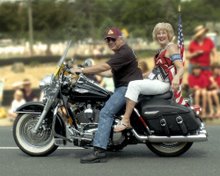
On vacation or off doing something interesting while wearing your Stephen Bonanno's? Send us your photos. Above is Dave and Karen of Darien, CT at the Memorial Day Parade!!
Give the Gift W/Sole
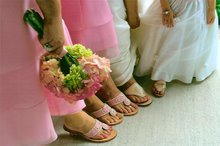
Treat your bridal party to a pair of "Palm Beach" Classic sandals (Minimum 6 pair at regular price) and we will treat you, the bride, to a pair of "Emma" monogram sandals with your new initials at half price!
It"s a Lifestyle
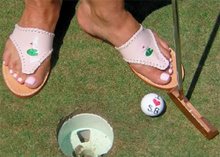
Leslie -- Dallas, Texas